One order, from the sunbed to the kitchen.
Step through a real order on the real screens: the guest's phone, your order board, the kitchen and bar screens, and the moment it is ready.
Real screens of a demo venue. No real orders or payments.
-
 The guest's phone
Scan
The guest scans the QR code on sunbed 12. Your menu opens in their phone's browser: nothing to install, no account.
-
 The guest's phone
Choose
They pick a dish, choose a side and can add a note for the kitchen. Each dish shows its allergens.
-
 The guest's phone
Order
In the basket they add their name and place the order. They pay by card on their phone, or pay your staff, whichever you offer.
-
 The guest's phone
Sent
The order goes straight to you. Their phone shows each step and updates on its own, with no need to refresh.
-
 Your order board
Accept
It lands on your order board with a chime. One tap to accept. The guest is told right away.
-
 The kitchen screen
Kitchen
The kitchen gets the food on its own screen, with the side and the guest's note. Mark ready when it is done.
-
 The bar screen
Bar
The bar gets the drinks from the same order on its own screen, and sees that the kitchen is still working on the food.
-
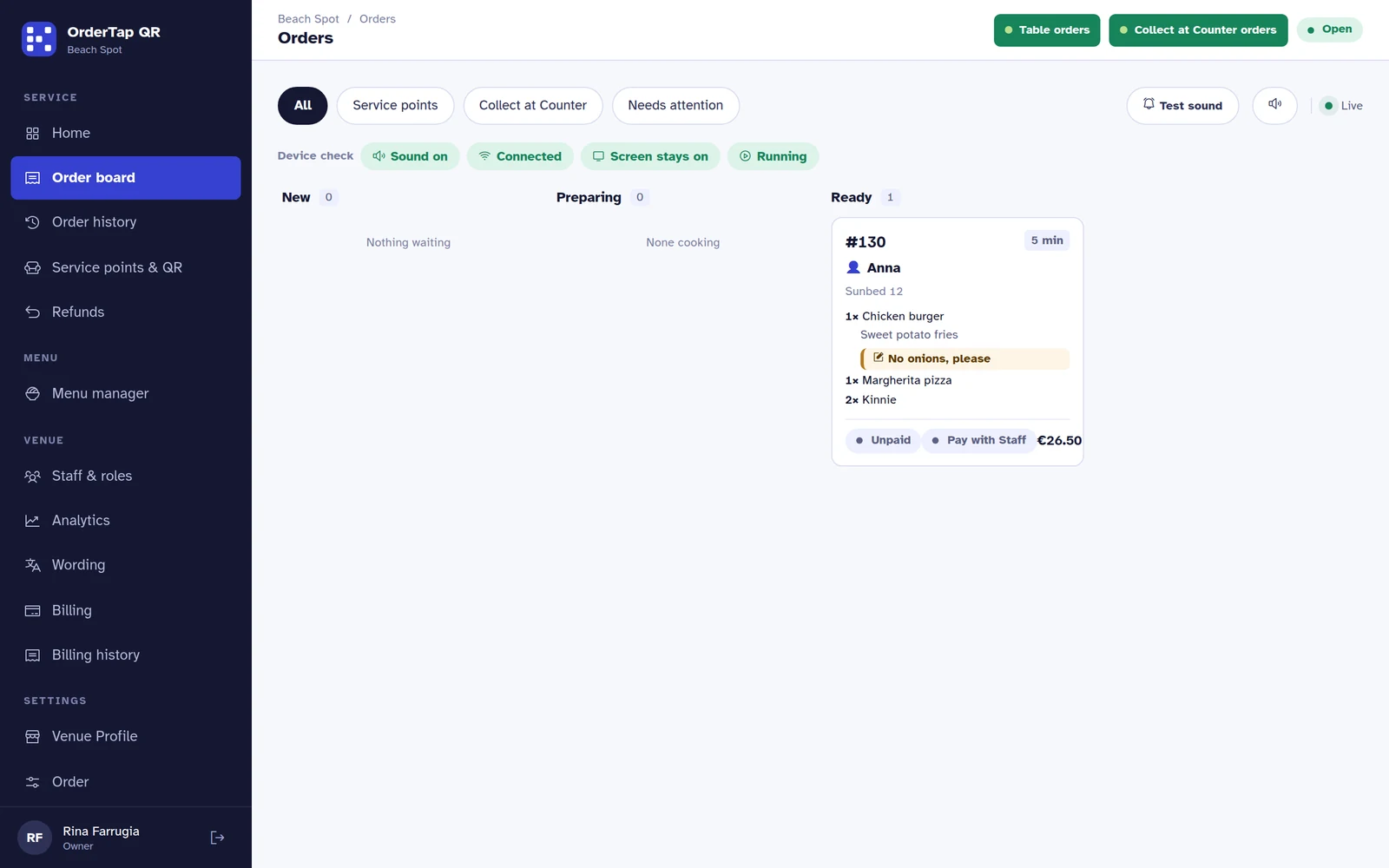
 Board and guest
Ready
Once the kitchen and the bar have both marked it ready, your order board moves it to Ready, and the guest's phone shows Ready at the same moment.
Step 1 / 8
Want this in your venue?
We set up your menu and your QR codes with you. A short demo at your venue or online shows the rest.